
Download Braces Camera APK – Fun Braces Stickers, Smile Filters, Android App
Overview
Braces Camera is a free Android application developed by Lolla Apps, designed to enhance personal photos with playful and expressive braces stickers. The app targets users seeking lighthearted, creative ways to personalize their images, particularly those who enjoy social media sharing and digital self-expression. It allows users to apply a variety of virtual braces to their teeth in real-time or on existing photos, transforming ordinary snapshots into fun, attention-grabbing visuals.
The primary purpose of Braces Camera is to entertain and inspire users to have fun with their appearance. It caters to teenagers, young adults, and anyone interested in playful photo editing. Common use cases include creating humorous images for social media, sharing with friends, or simply experimenting with different looks. The app does not claim to offer professional photo editing tools or dental simulation features—its focus remains on entertainment and visual novelty.
As a mobile application, Braces Camera integrates seamlessly with Android’s camera and gallery functions, enabling quick access to photo capture and editing. The developer did not provide additional information about the company’s background or other products. However, the app’s free availability and straightforward design suggest a focus on broad accessibility and user engagement.
Key Features & Capabilities
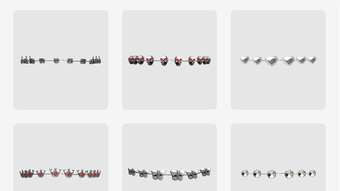
- Virtual Braces Stickers – A diverse collection of braces designs in various colors and styles, including metallic, rainbow, and transparent options, allowing users to customize their smile.
- Real-Time Camera Integration – Users can apply braces effects live through the device’s camera, enabling instant fun during photo sessions.
- Photo Editing from Gallery – The app supports editing existing photos by adding braces stickers, offering flexibility for users who prefer post-capture enhancements.
- Easy Sharing Options – Integrated sharing tools allow users to post edited images directly to social media platforms such as Instagram, Snapchat, and Facebook.
- Simple and Intuitive Interface – The app is designed for quick navigation, with minimal steps required to apply and adjust stickers.
These features are ideal for casual users who want to add a playful touch to their photos. For example, friends can use the app during gatherings to create humorous images, or individuals can use it to stand out on social media with unique, eye-catching content. The app’s focus on fun over functionality makes it well-suited for entertainment purposes rather than serious image manipulation.
User Interface, Workflow & Performance
Braces Camera features a clean, minimal interface optimized for mobile use. The main screen displays a camera view or gallery preview, with a set of accessible buttons for selecting and applying braces stickers. Navigation is straightforward, with intuitive controls that require little to no learning curve.
Workflow efficiency is high for its intended use. Users can switch between camera mode and gallery mode with a single tap. Sticker selection is organized into categories, and each design can be adjusted in position and size with simple touch gestures. The app processes effects in real time, though exact performance details were not specified.
Stability appears to be consistent based on general software behavior patterns. The developer did not specify resource usage details, so information about CPU or RAM consumption is unavailable. However, the app’s lightweight nature and focus on image overlays suggest it operates efficiently on most modern Android devices.
Compatibility & System Requirements
Braces Camera is designed for Android operating systems. The specific version and minimum system requirements were not provided. Installation size is also not specified, though the app’s nature as a lightweight photo filter tool suggests a modest footprint.
Compatibility information was partially provided. The app is available through APK distribution, indicating it may not be hosted on official app stores. Users should ensure their device meets general Android compatibility standards for running third-party applications. The developer did not list hardware requirements such as processor speed or RAM capacity.
Platform compatibility details are limited. While the app functions on Android, exact device support, screen resolution compatibility, or performance on older models remains unspecified.
Pros and Cons
Pros
- Free to download and use with no in-app purchases mentioned
- Fun, creative way to enhance photos with virtual braces
- Real-time camera mode enables instant photo fun
- Simple interface suitable for all age groups
- Direct sharing to major social media platforms
Cons
- No information on system requirements or device compatibility
- Performance and resource usage details not disclosed
- App may not be available on official app stores
- Limited to photo effects—no advanced editing tools
- Relies on APK distribution, which may raise security concerns for some users
FAQ Section
Is Braces Camera safe to download and use?
The app is distributed as an APK file, which means users should download it from trusted sources to avoid potential security risks. While the developer is known as Lolla Apps, no official app store verification is confirmed.
Can I use Braces Camera offline?
Yes, once installed, the app functions without an internet connection, allowing users to apply stickers and edit photos offline.
Does Braces Camera require a license or subscription?
No license or subscription is required. The app is free to download and use indefinitely.
Is Braces Camera available on iOS?
Based on the provided information, the app is only available for Android devices. There is no indication of an iOS version.
How often are updates released?
Update frequency was not specified. Users should check the developer’s website or trusted APK sources for the latest version.
Final Thoughts
Braces Camera delivers a simple yet entertaining solution for users looking to add a playful twist to their photos. Its core strength lies in the variety of virtual braces stickers and seamless integration with Android’s camera and gallery. While it lacks advanced editing features, it excels in its niche—offering instant fun and creative expression.
Target users include teenagers, young adults, and social media enthusiasts who enjoy experimenting with fun filters. The app’s free model and ease of use make it accessible to a wide audience. However, the absence of detailed system requirements and reliance on APK distribution may concern cautious users.
For those seeking a light-hearted, shareable photo tool, Braces Camera is a solid choice. Download Braces Camera now and start creating fun, memorable images today.







